
The free result card template
One A4 page with everything a parent looks for, and room for remarks and signatures. It prints well in black and white.
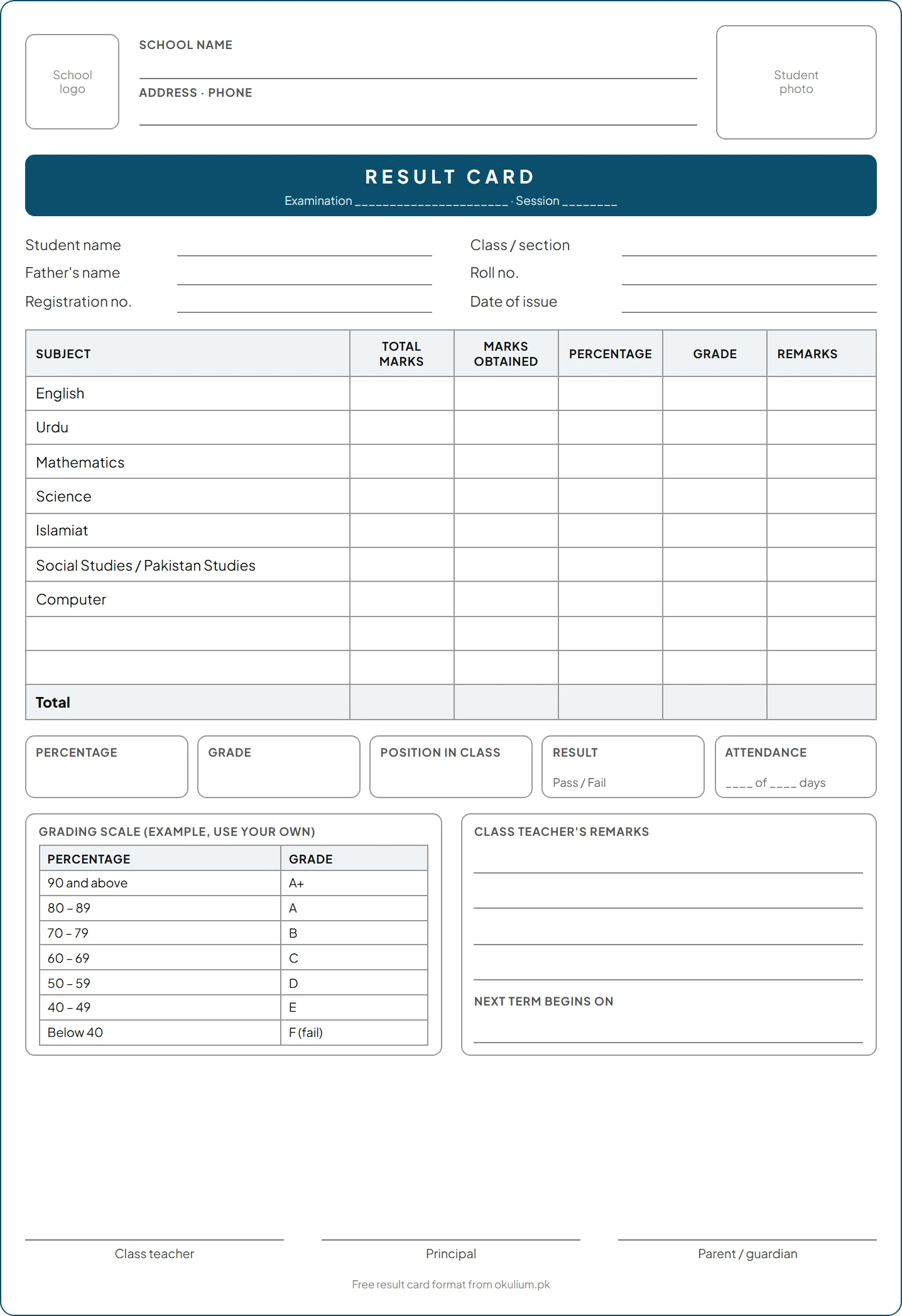
The Excel version does the work for a whole class. Set up your subjects, total marks, pass mark and grading scale once, enter each student’s marks on the class sheet, and it works out totals, percentages, grades, positions and pass or fail. Type a roll number on the result card sheet and that student’s card fills itself, ready to print.
What a result card should include
| School |
|
|---|---|
| Examination |
|
| Student |
|
| Marks |
|
| Summary |
|
| Remarks |
|
| Signatures |
|
Grades: use one scale and print it
Grades only mean something to parents if they can see the scale. Use the one your school or board follows, and print it on the card. A scale many Pakistani private schools use:
| Percentage | Grade |
|---|---|
| 90 and above | A+ |
| 80 – 89 | A |
| 70 – 79 | B |
| 60 – 69 | C |
| 50 – 59 | D |
| 40 – 49 | E |
| Below 40 | F (fail) |
How to work out position in class
Rank the section by total marks: the highest total is 1st. When two students have the same total, give them the same position and skip the next one, so the order reads 1st, 2nd, 2nd, 4th. Some schools break ties with one subject instead; whichever rule you choose, write it down and use it every time.
=COUNTIF(totals, ">"&this_total)+1 gives each student’s position, with ties sharing a place. The free template already uses it.
Pass or fail
Schools usually use one of two rules. Say on the card which one you use.
- A pass mark in every subject (often 40%): failing one subject means failing the exam. The Excel template uses this rule and flags the subject.
- An overall pass percentage: only the total counts, so a weak subject can be made up by others.
Remarks parents can act on
The remark is often the only line a parent reads twice. Say one thing that is going well and one specific next step.
| Instead of | Write |
|---|---|
| "Good." | "Reads confidently; practise long division at home." |
| "Can do better." | "Marks dropped in Science after missing two weeks; revise chapters 4 and 5." |
| "Weak in Urdu." | "Understands Urdu well but spelling costs marks; 10 words a day will help." |
Common result card mistakes
- Totals and percentages added by hand: one slip changes a position, and parents notice.
- No grading scale on the card: parents can’t tell what a B means at your school.
- Positions with no rule for ties: two students with the same total get different places.
- Absent shown as 0 with no note: parents read it as a failed paper.
- Remarks copied for the whole class: parents compare cards and stop reading them.
- Results given out before every subject is checked: a correction after printing means reprinting the card.
Excel or software?
A spreadsheet works for one class. For a whole school, collecting mark sheets from every teacher, checking them and printing hundreds of cards takes days every term. School software does it as teachers enter marks.
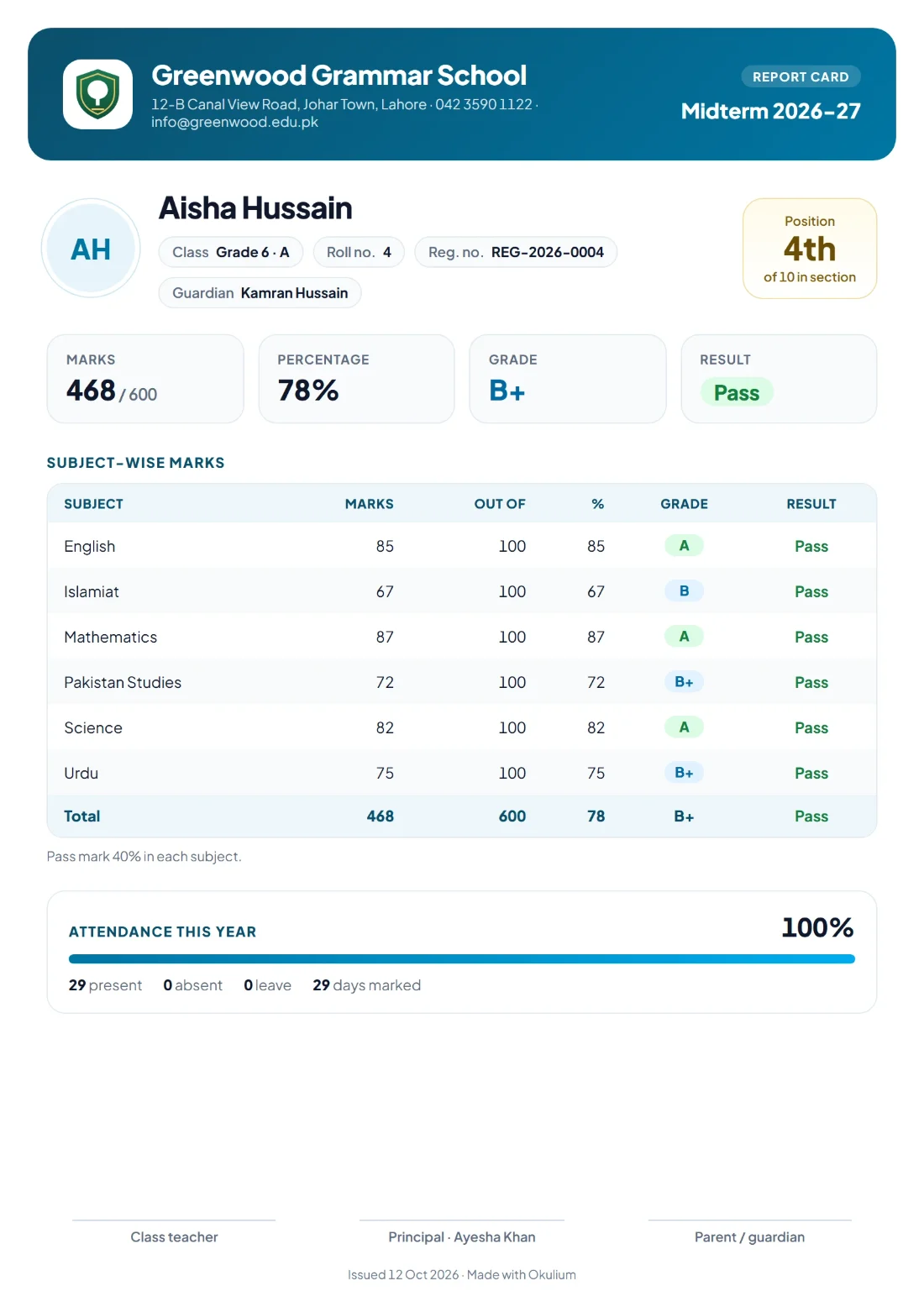
In Okulium, subject teachers enter marks for their own subjects, your grading and pass mark are applied, positions in each section are worked out, and each report card comes out as a PDF with your crest. When the exam office releases results, parents get a notification and see every subject on their phone. Try it free for 30 days.